
Root the stick
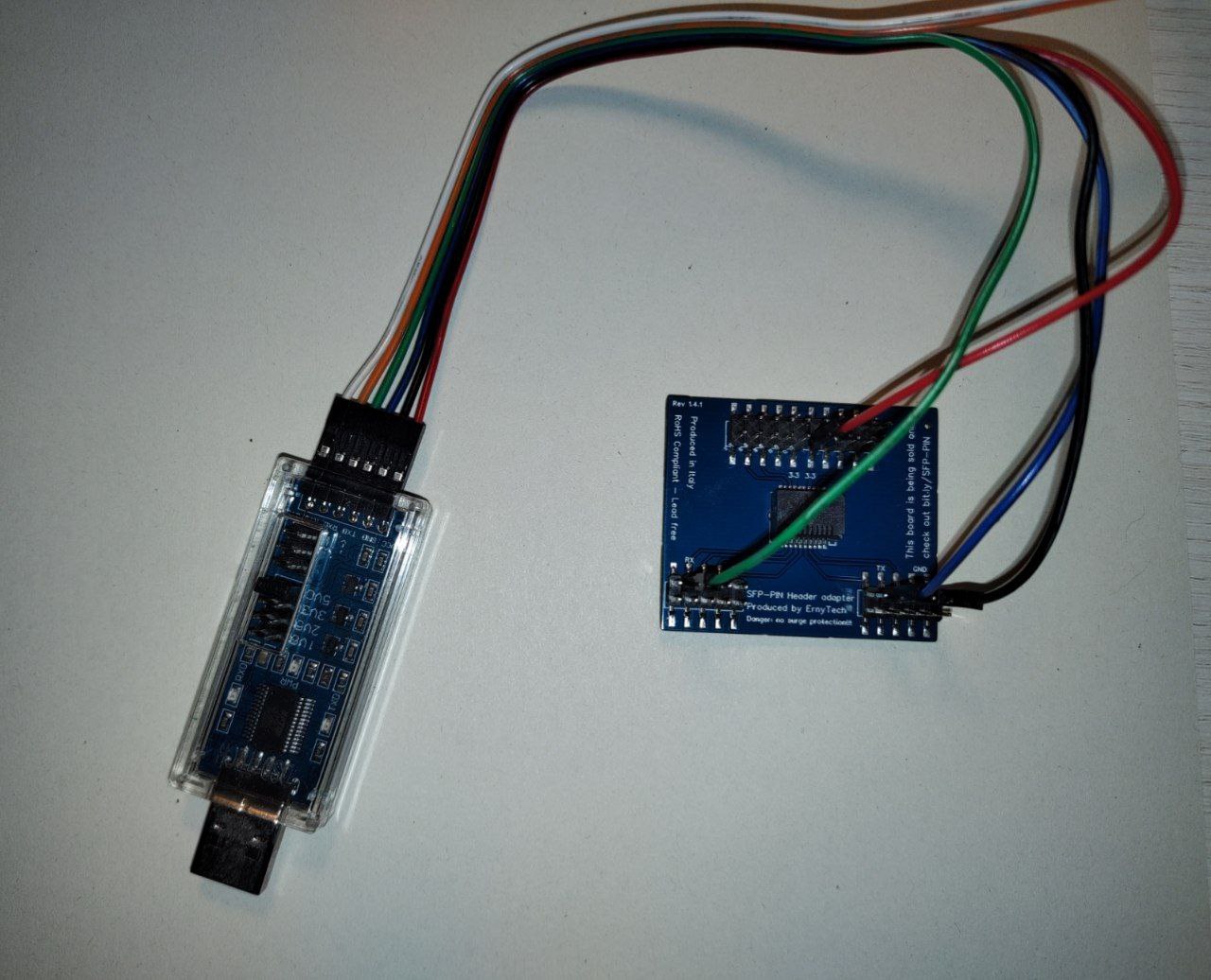
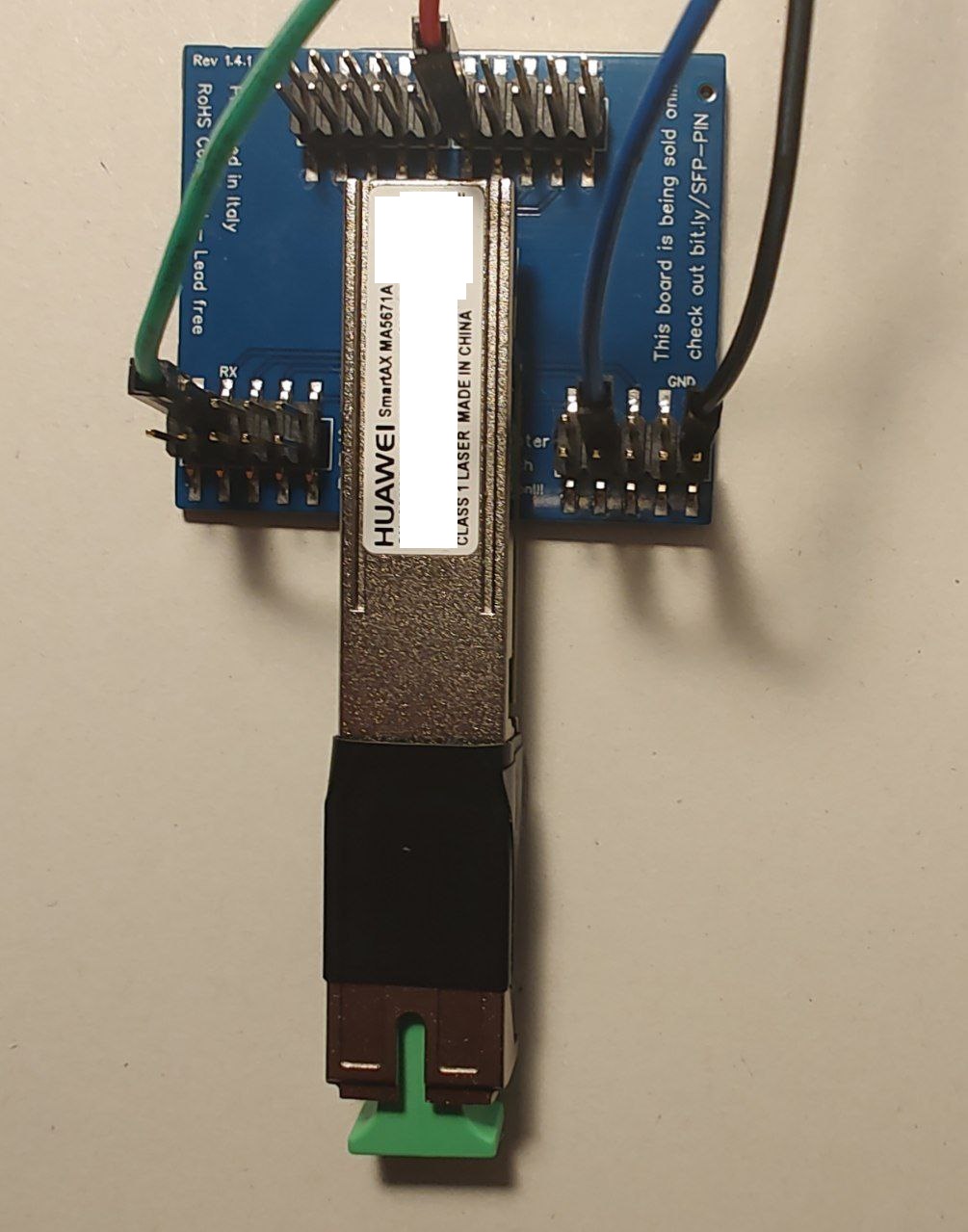
Connect the SFP adapter to the TTL adapter according to the following diagram:
| USB TTL (UART) Adapter | wire colour in picture | SFP 20pins Molex connector |
|---|---|---|
| 3.3V | red | 3.3 (pin #15 and #16) |
| TX | green | RX (pin #2) |
| RX | blue | TX (pin #7) |
| GND | black | GND (pin #14) |
Note
Try PIN 10 or other GND PINs if the connection doesn't work with PIN 14.
Note
Some USB TTL adapters label TX and RX pins the other way around: try to swap them if the connection doesn't work.
Connect the TTL adapter to the computer, once done press the following button. A window will open that will execute the root.
Info
If this procedure does not work, you can use this alternative procedure
Connect to the stick via SSH
After this is done, reboot the stick, after connecting it to a router via an ethernet mediaconverter or directly plugging it in an SFP port, with the port's IP set to any IP of the 192.168.1.0/24 subnet (the stick has the IP 192.168.1.10)
Note
If your LAN subnet is 192.168.1.0/24 make sure you have no ip conflicts.
Note
On some SFP host devices you might not be able to connect to the stick if there's no optical signal (RX loss), in that case you need to connect the fiber to make changes on the stick
Run the terminal and login to the stick using ssh:
ssh root@192.168.1.10The password is admin123.
Info
If you use a modern OpenSSH version (e.g. >= 8.8) you will have to enable some deprecated algorithms: ssh -oKexAlgorithms=+diffie-hellman-group1-sha1 -oHostKeyAlgorithms=+ssh-dss root@192.168.1.10
TX Fault / Serial
The stick stays in a perpetual "TX Fault" state since the same SFP pin is used for both serial and TX Fault signaling. If that causes you issues (normally it shouldn't), you can issue the commands below to disable it. Note that it will disable both the TX Fault signal and Serial on the stick after boot.
fw_setenv asc0 1
fw_setenv preboot "gpio set 3;gpio input 100;gpio input 105;gpio input 106;gpio input 107;gpio input 108"
In case you need to re-enable it, issue the following commands from the bootloader (FALCON)
FALCON => setenv asc0 0
FALCON => saveenv